How to Search
This is an introduction to searching and filtering in TATOR. This workflow can be used to search for any category in TATOR, but we’ll walk through a specific example!
In this search, we’re looking to find all the SOI_HIGHLIGHTS from a specific expedition (FKt231202). SOI_HIGHLIGHTS are specific events from Sealog that reference simple localizations.
Things to Know - In TATOR, it’s often best to search for “All Media” and apply filters to specific expeditions/cruises - Metadata such as Sensor data or Sealog data are stored in 3 places: the SCICAM video, the SITCAM video, and the virtual video that shows both together (MULTICAM).
Steps
- Navigate to the “All Media” homepage of the Schmidt Ocean Institute project on TATOR.
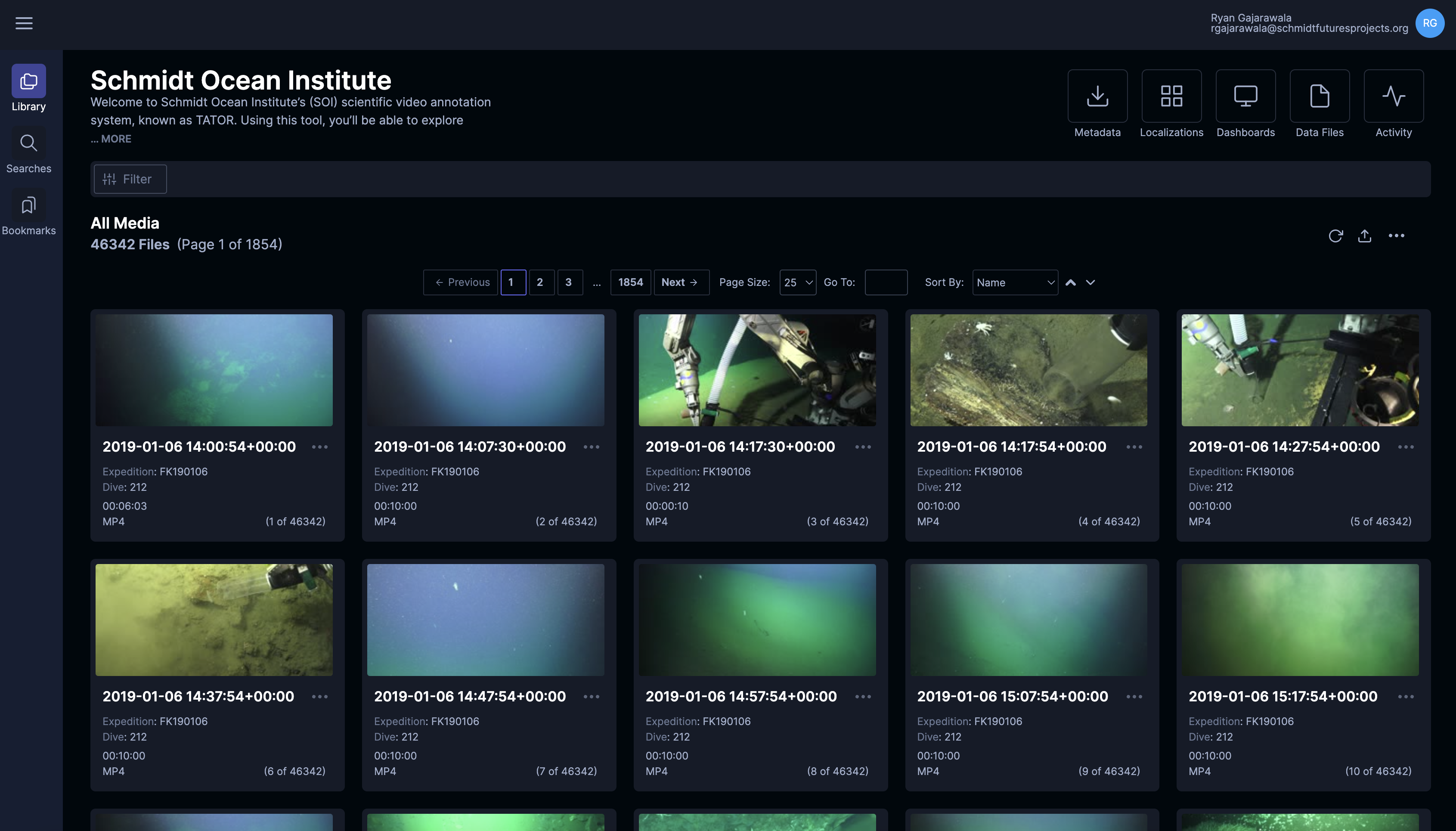
- Select the three dots on the far right of the screen to see additional options.
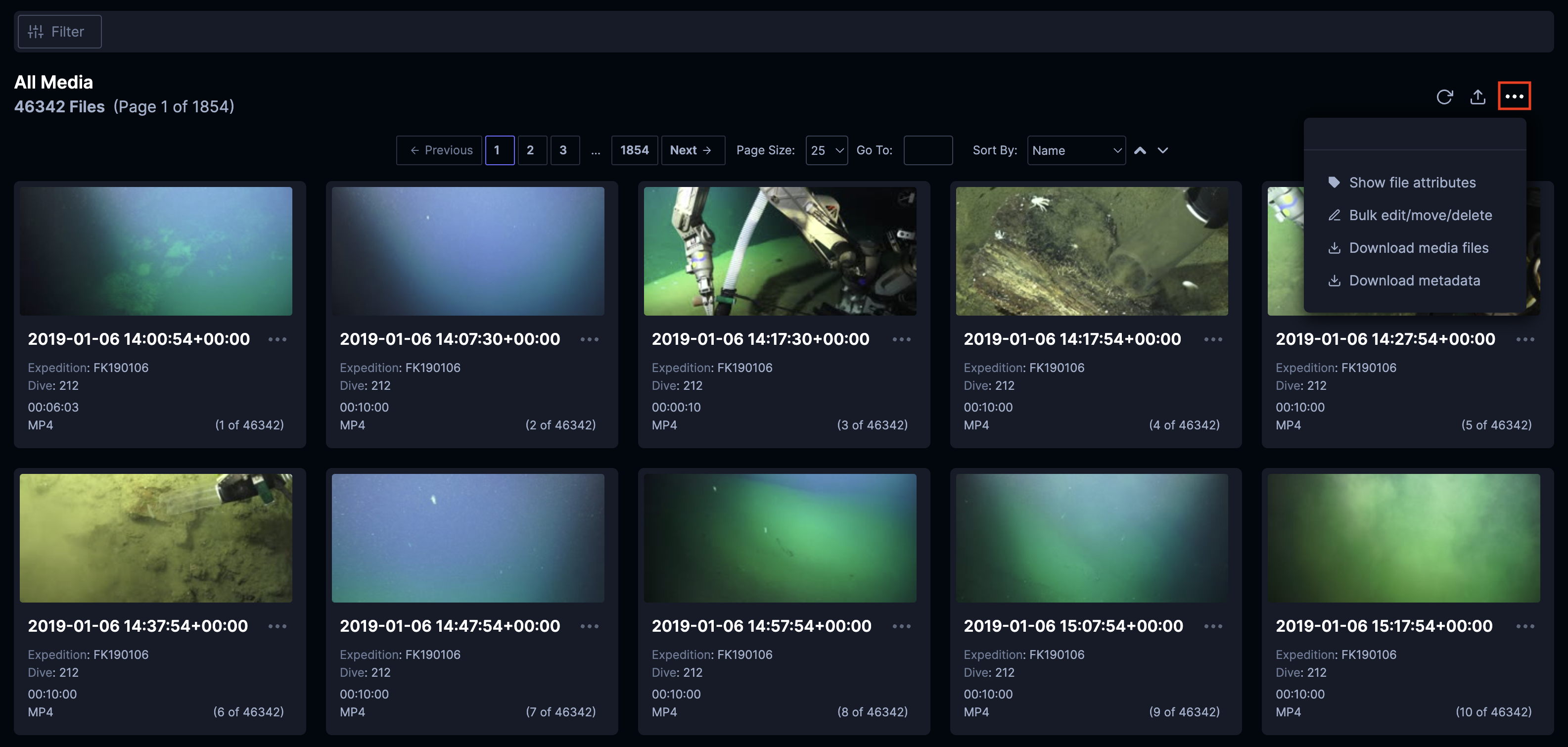
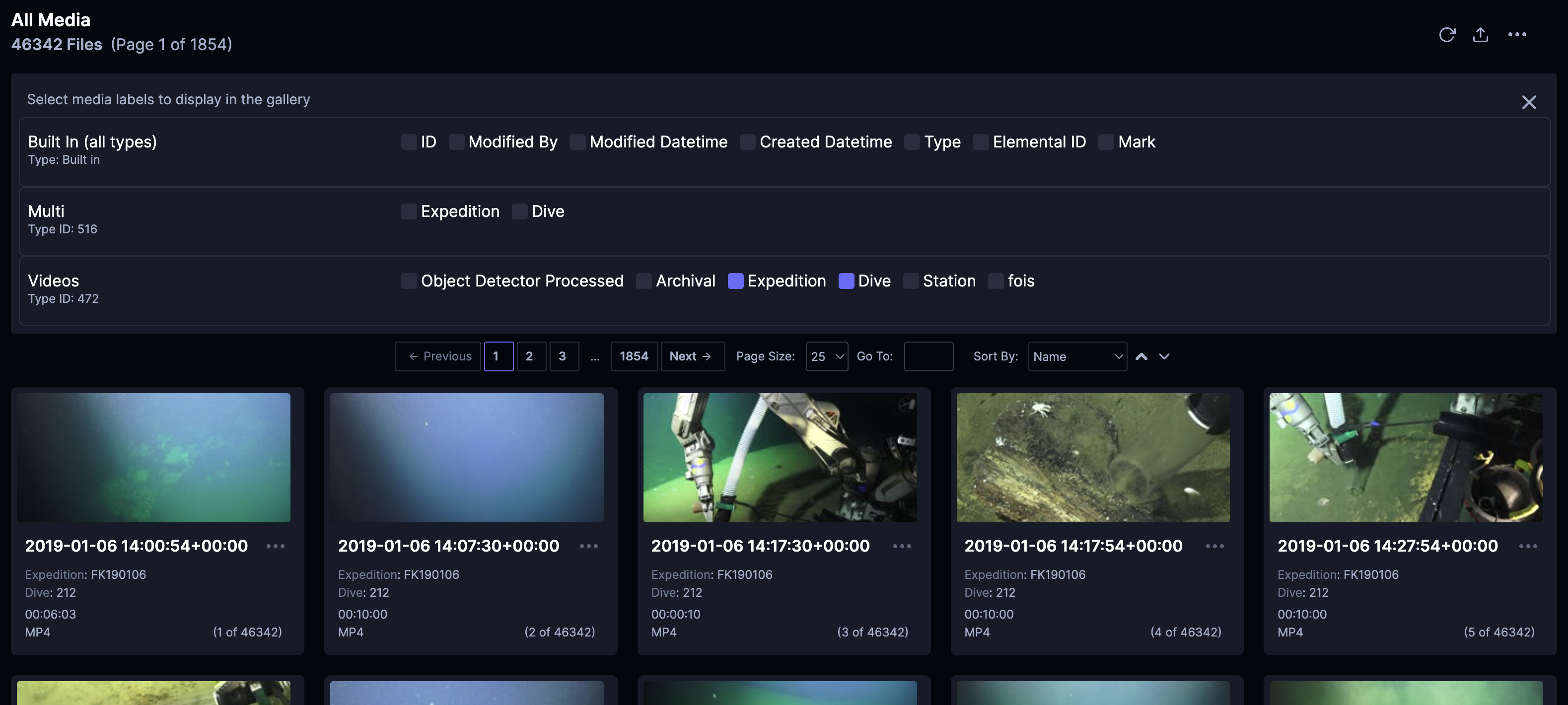
Select “Show file attributes” to better customize and visualize the attributes of each video file.
With the attribute panel visible, select and enable “Expedition” and “Dive” to begin showing these attributes in each file’s listing.
- Expand the filter panel by clicking the “Filter” button above the “All Media” header.
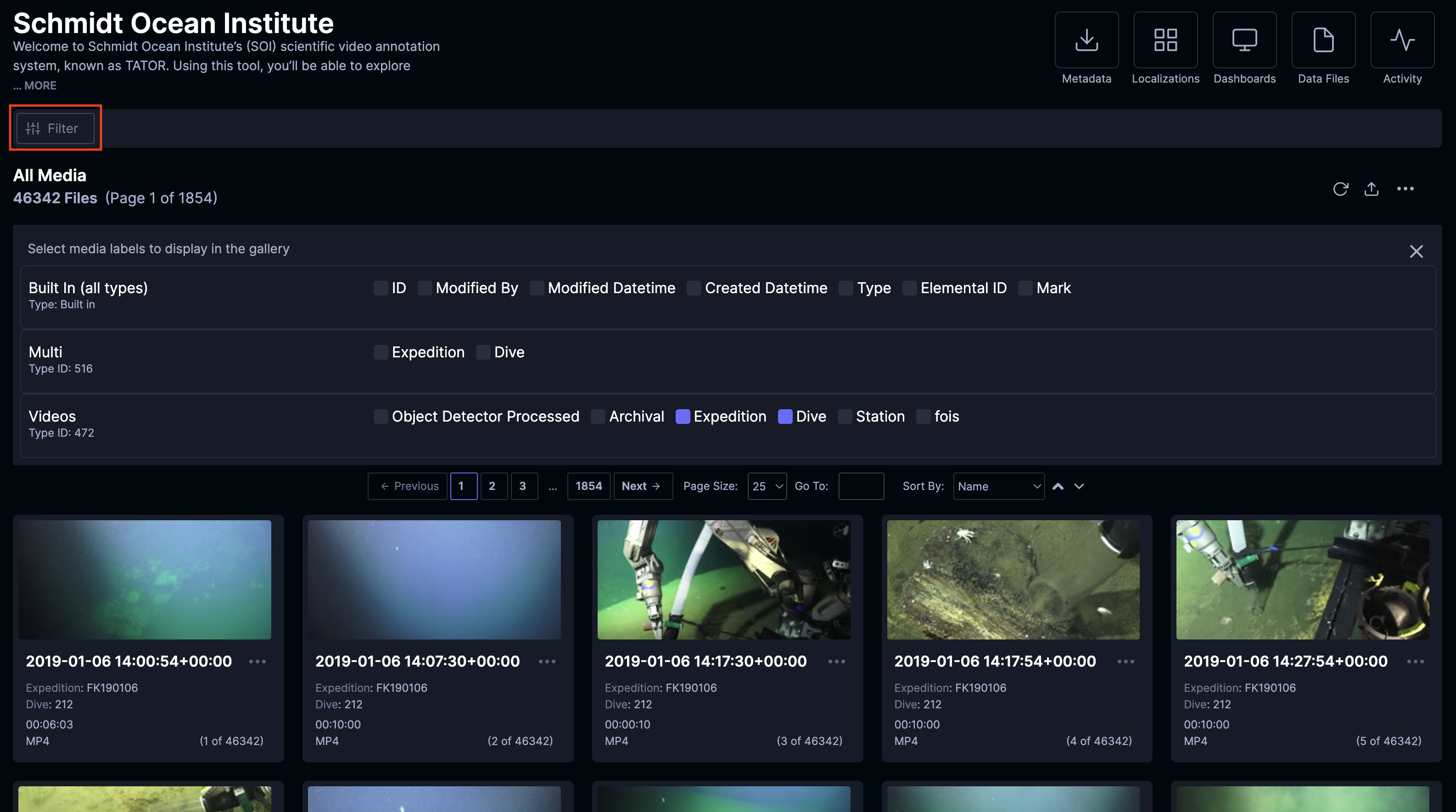
- Fill in the filter UI with relevant conditions to find the correct object
- For this example, we add three conditions: one that defines “Data type” as “SOI Highlight”, one that defines “Station” as including “SCI”, and one that defines “Expedition” as “FKt231202”
- We define “Station” as including “SCI” because SCI covers the SCICAM. (Including SCI covers the SCICAM and SCITOO cases of earlier trips.)
- We define “Expedition” as “FKt231202” because we are searching within this specific cruise
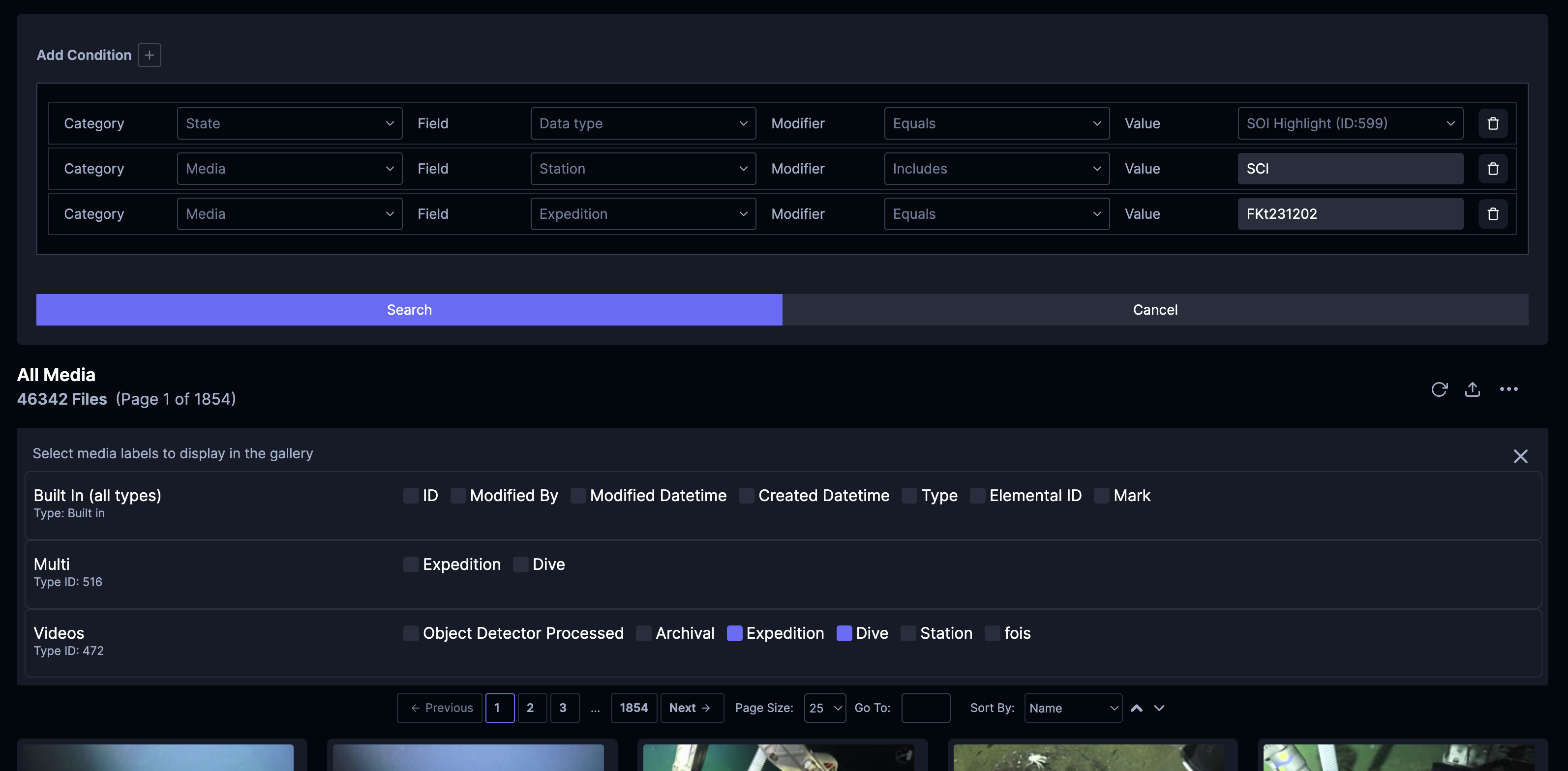
- The query will execute and return a list of the relevant media. It can take 3-5 secodns to process most queries. On the right, the circular arrow will spin until the operation is complete. Once complete, you’ll notice the total number of results will change.
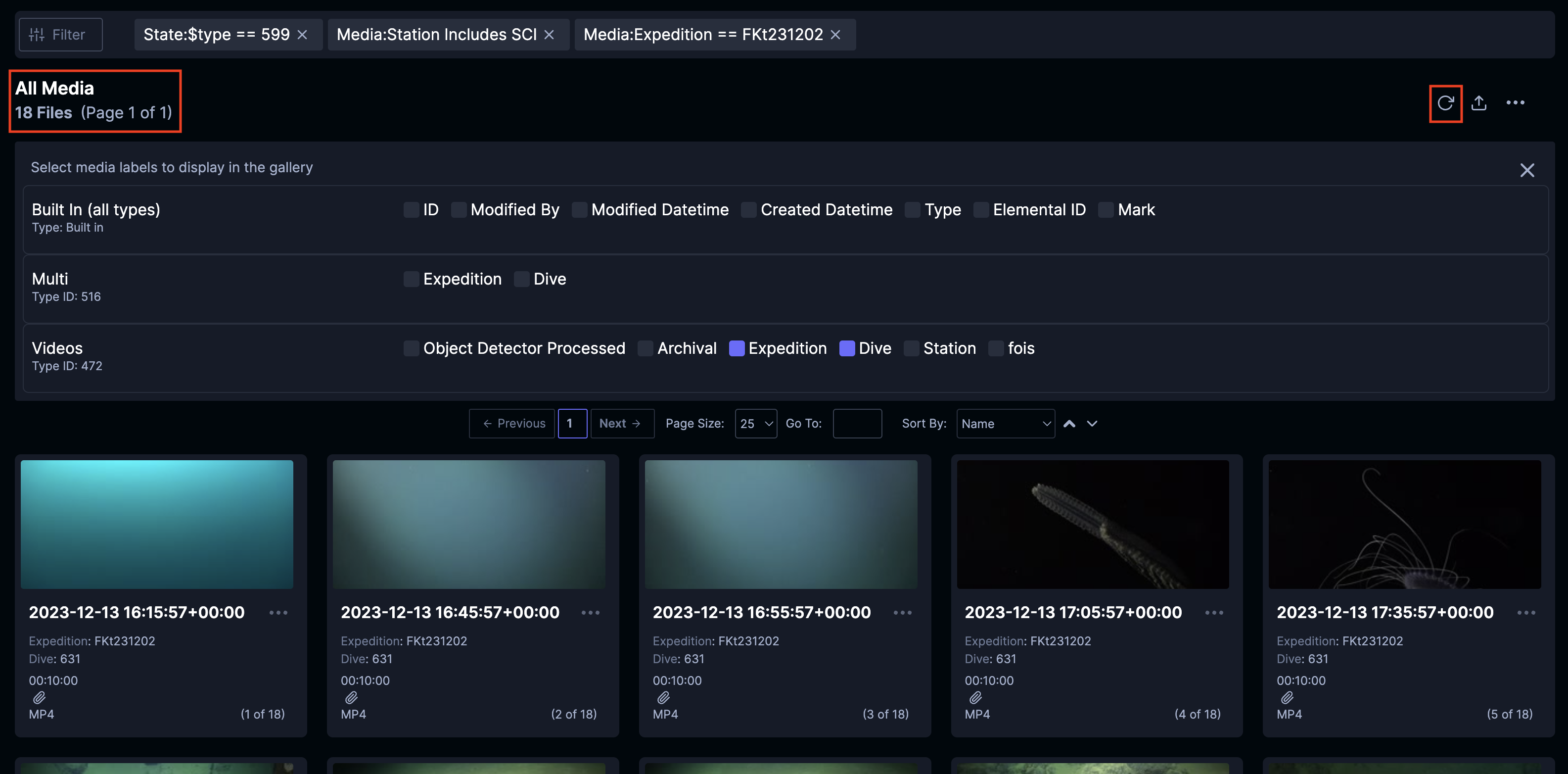
Multi-camera Results
In TATOR, single and multi videos are different media types. If you want to return multi-camera footage instead of the individual camera, you should alter the (“Station” Includes “SCI”) condition to be (“Data type” Equals “multi/Multi ID:516”).